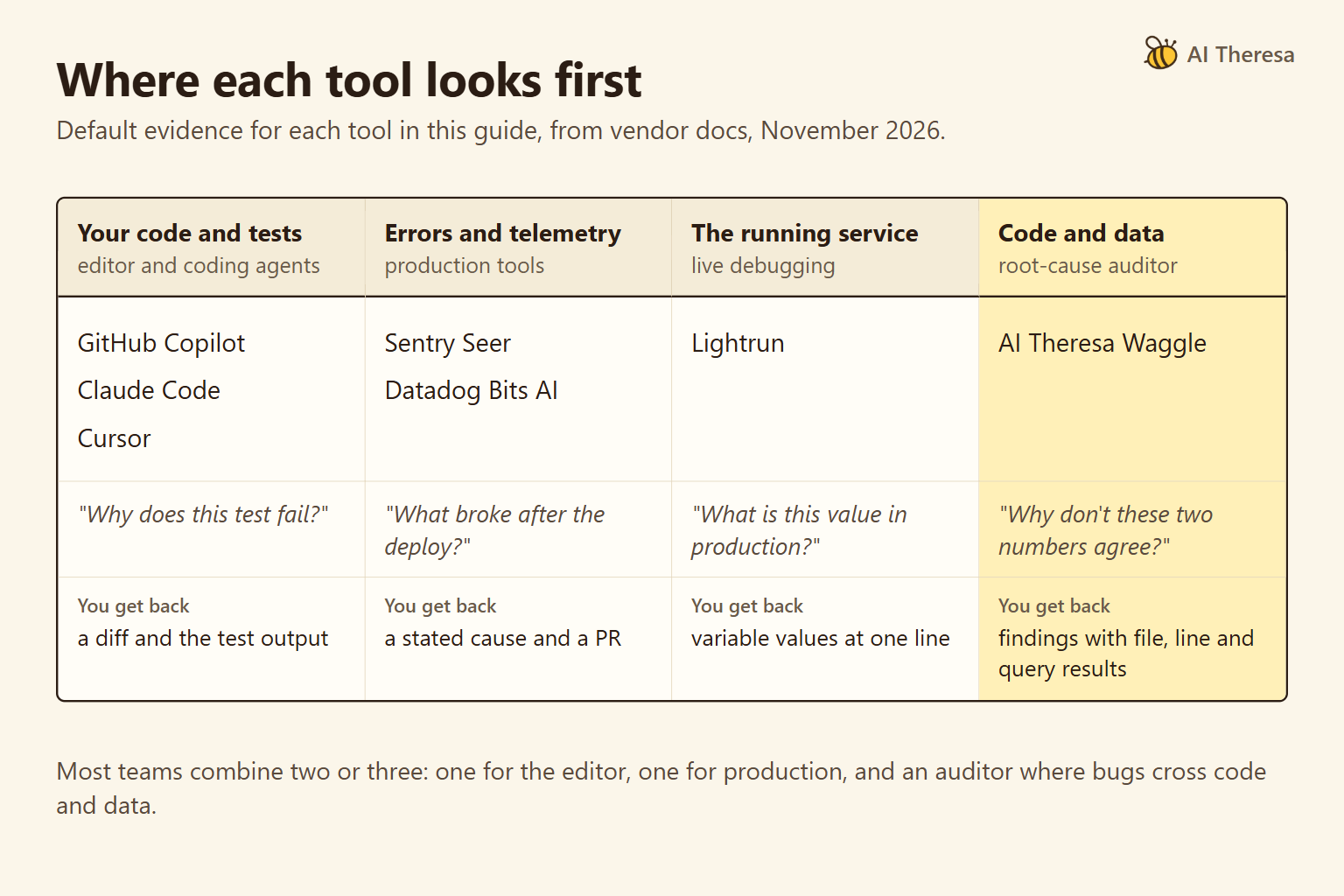
AI infrastructure solutions support three workloads: running applications, serving models, and training or adapting models. Each needs different software, capacity, and operating skills.
You can build an AI agent without operating model servers, and you can host an existing model without training it. Start by deciding which work your organization needs to do and which parts a provider will operate.
What Are AI Infrastructure Solutions?
AI infrastructure solutions are the hardware, software, and managed services used to build and run AI systems. They include servers, databases, networking, and deployment and monitoring software.
| Workload | What runs | Infrastructure you arrange |
|---|---|---|
| Running AI applications, including agents | Software that uses a model to answer questions, process documents, or complete tasks | Application hosting, data access, tool connections, and saved task progress |
| Serving models | A model that produces answers or predictions, a process called inference | Model access from a provider, or serving software and suitable compute if you host it yourself |
| Training or adapting models | Jobs that learn from examples and produce a new model version | Prepared datasets, training capacity, evaluation, and storage for model versions |
These workloads can be parts of one system. A document-review application needs storage and employee sign-in whether it calls a hosted model or one your team operates.
Self-hosting means running the model in an environment your organization operates, including rented cloud infrastructure. It changes who operates inference. Training changes the model's learned numerical values, called parameters; fine-tuning applies further training to an existing model. Giving an agent access to current business records usually calls for a data connection, not a training job.
Get Started with Theresa for FREEWhy Is AI Infrastructure Important?
The infrastructure affects how long people wait, whether they get reliable results, and what each completed task costs.
It helps identify what slows the application down
An application may spend more time waiting for a database query than generating an answer. A faster server cannot make an overloaded database respond sooner. Measuring each step tells the team whether to improve data access, application processing, or model response time.
It preserves the result the team evaluated
Consider software that reads invoices. If an update to its text extractor drops a column, the model receives incomplete information and may return the wrong total. The model itself has not changed. To keep results reliable, the team needs to test and maintain the software that prepares its inputs too.
It connects spending to useful output
Include model calls, database queries, failed attempts, and employee rework when calculating cost per correctly completed task. The result helps compare the system with a simpler approach.
Get Started with Theresa for FREEKey Components of AI Infrastructure
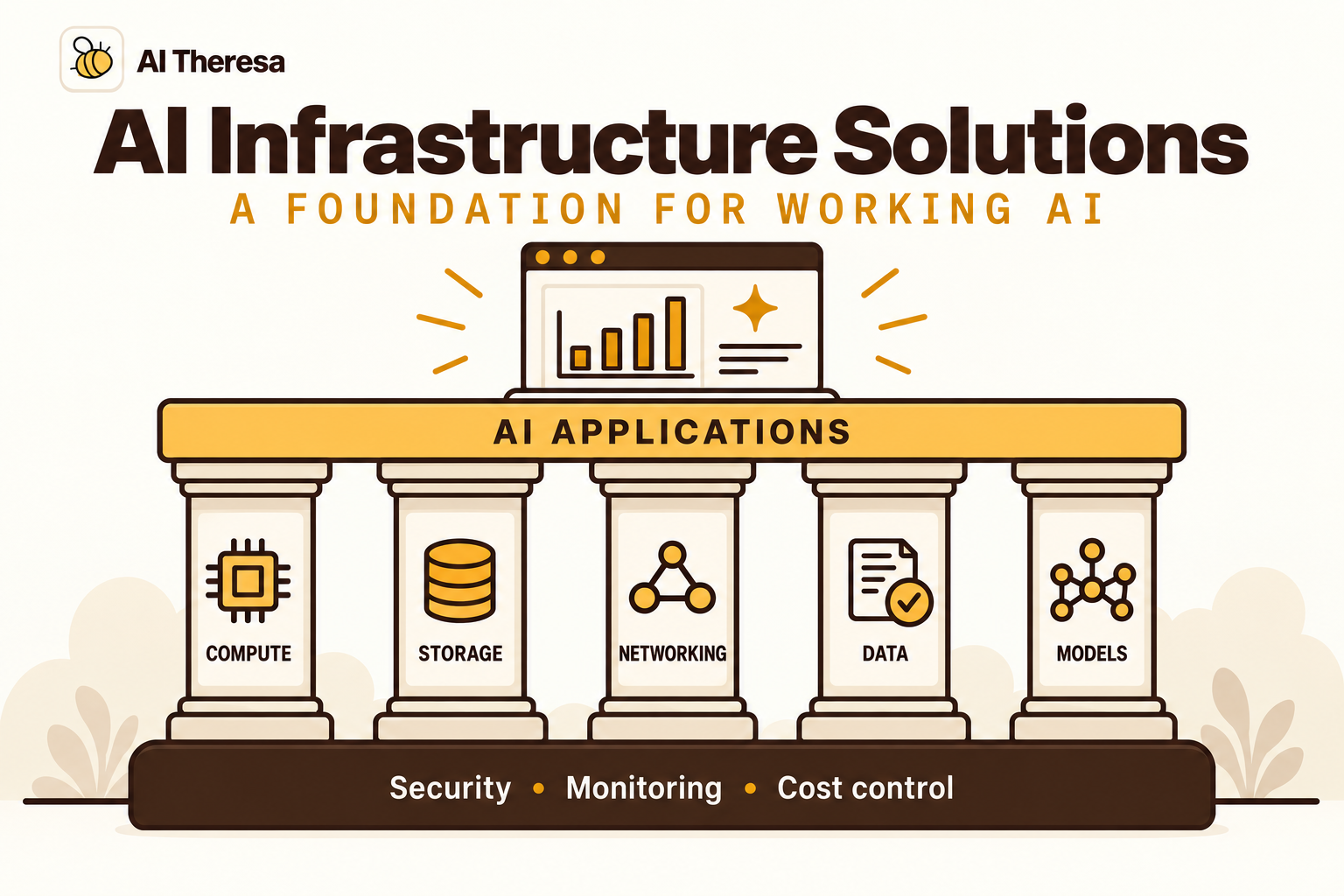
Compute, storage, networking, and data preparation support all three workloads. Their size and configuration depend on what runs on them; using the same cloud does not mean needing the same hardware.
Compute and memory
Application servers run code, prepare documents, and execute tools. CPU-based hosting can handle this work when a provider supplies inference. Processing large files or running software builds can need more resources than a text-only assistant.
Compute is processing capacity; memory holds the information that processing needs. A machine can have spare processing power and still run out of memory. Measure both under realistic traffic before expanding.
Storage and networking
Storage holds source records, documents, software files, and saved progress. Capacity tells you how much fits; retrieval speed affects how quickly the work proceeds. Frequently read records may need a database, while large documents or model files can use file or object storage.
Networking connects these resources. An application needs a reliable route to its data and model, including private-network access where required. Transfer charges and the time spent moving large files can affect where processing should happen.
Keep working data separate from temporary machine storage when it must survive a restart. A replacement worker needs access to the same files and progress records to continue the job.
Data pipelines and governance
Data pipelines prepare information by removing duplicates, extracting document text, or reconciling dates and units across systems.
How an application retrieves information depends on the question. Current sales totals need a database query that selects the right dates and adds the recorded amounts. Questions about company policy need document search that finds relevant passages. That search may use an index, a prepared lookup structure that must reflect edits and deletions in the source documents.
Consistent definitions matter across these uses. If one system records returns as negative sales and another stores them separately, the pipeline must account for the difference before combining their totals.
Governance records where data came from and who may use it. Restrictions must follow copies into indexes and caches, so a search cannot expose another team's restricted records.
Models, serving, and orchestration
Running AI applications. The application sends requests to a model and uses its output. An agent also selects and executes tools through application controls. Orchestration coordinates those steps, including work waiting for a tool result or employee approval. The application records what it has completed so another worker can continue after an interruption. With a hosted model API, the provider runs inference; your team maintains the application and its connections.
Serving models yourself. Serving software loads model files and handles inference requests. Memory must accommodate the model and active work. Eight billion parameters stored at two bytes each occupy 16 billion bytes, about 14.9 GiB, for the weights alone. A 16 GiB GPU leaves little room for other demands. Many language models also retain intermediate calculations in a KV cache, which grows with longer conversations and more simultaneous requests. Hugging Face's memory estimator is a starting point; serving tests establish usable capacity and speed. These requirements apply even when someone else trained the model.
Training or adapting models. A forecasting team prepares historical records, trains a model, and tests predictions on records held out of training. Training needs memory for learning updates and a steady supply of examples. Overlapping data preparation with training can reduce time spent waiting for data. Larger jobs spanning machines also need fast connections to exchange updates. Checkpoints save progress so an interrupted job can resume.
After evaluation, the chosen forecast model moves into serving. The team compares predictions with actual sales and investigates growing errors before deciding whether to fix inputs or retrain. A registry records model versions so a replacement can be tested and an earlier version restored. This model lifecycle can run on managed services; it does not require the business to own training hardware.
Security and observability
Access controls limit which services and people can read data, change records, or deploy software. Credentials belong in protected storage, with development accounts separated from production access. An agent's tools need enforced permissions for the business systems they reach.
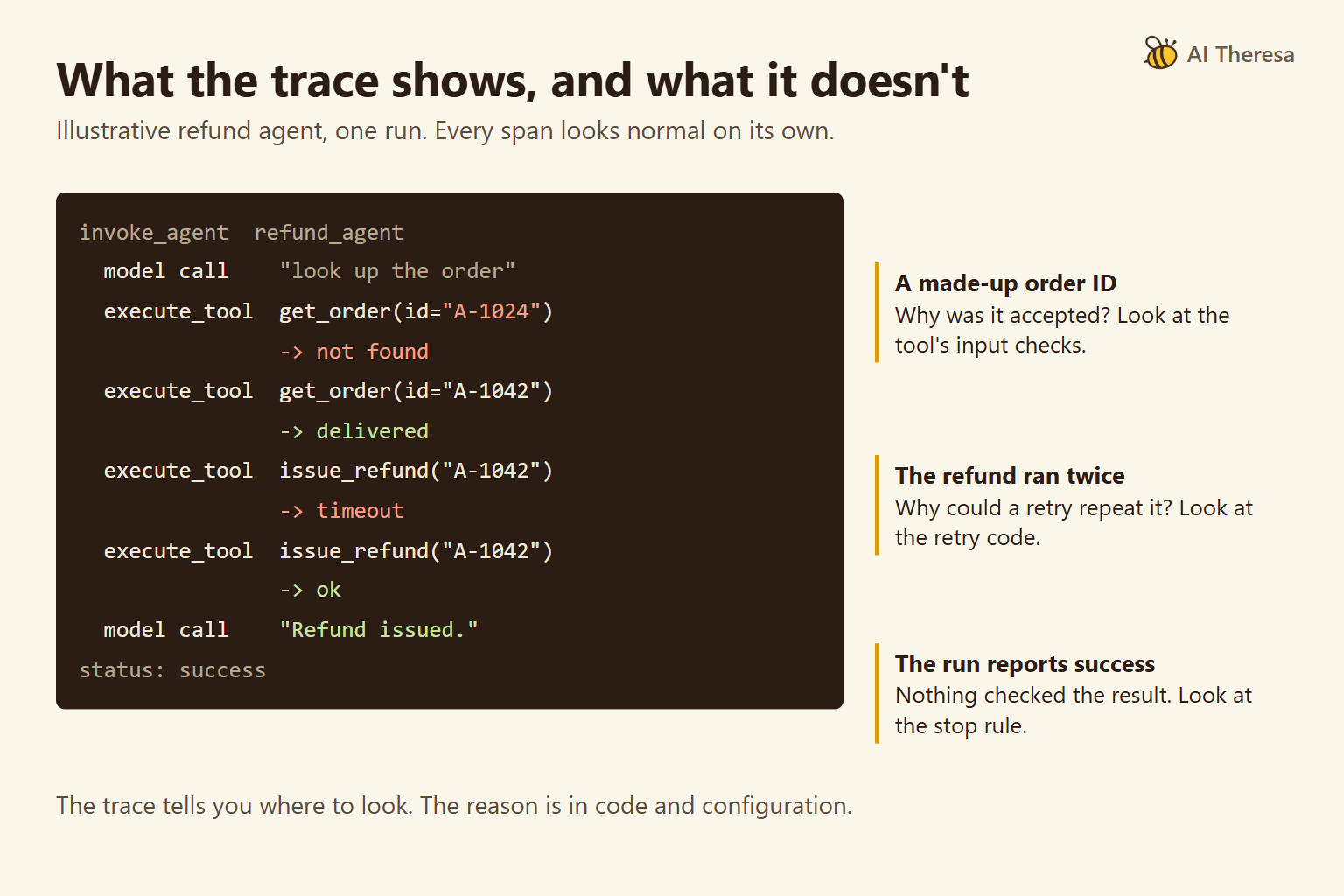
Observability means seeing what happened during a run. Logs and measurements should connect slow or failed work to the component responsible. Application traces show model and tool calls; model-service measurements show resource use and response times. Uptime alone cannot establish a correct result.
Get Started with Theresa for FREECloud vs. On-Premises AI Infrastructure
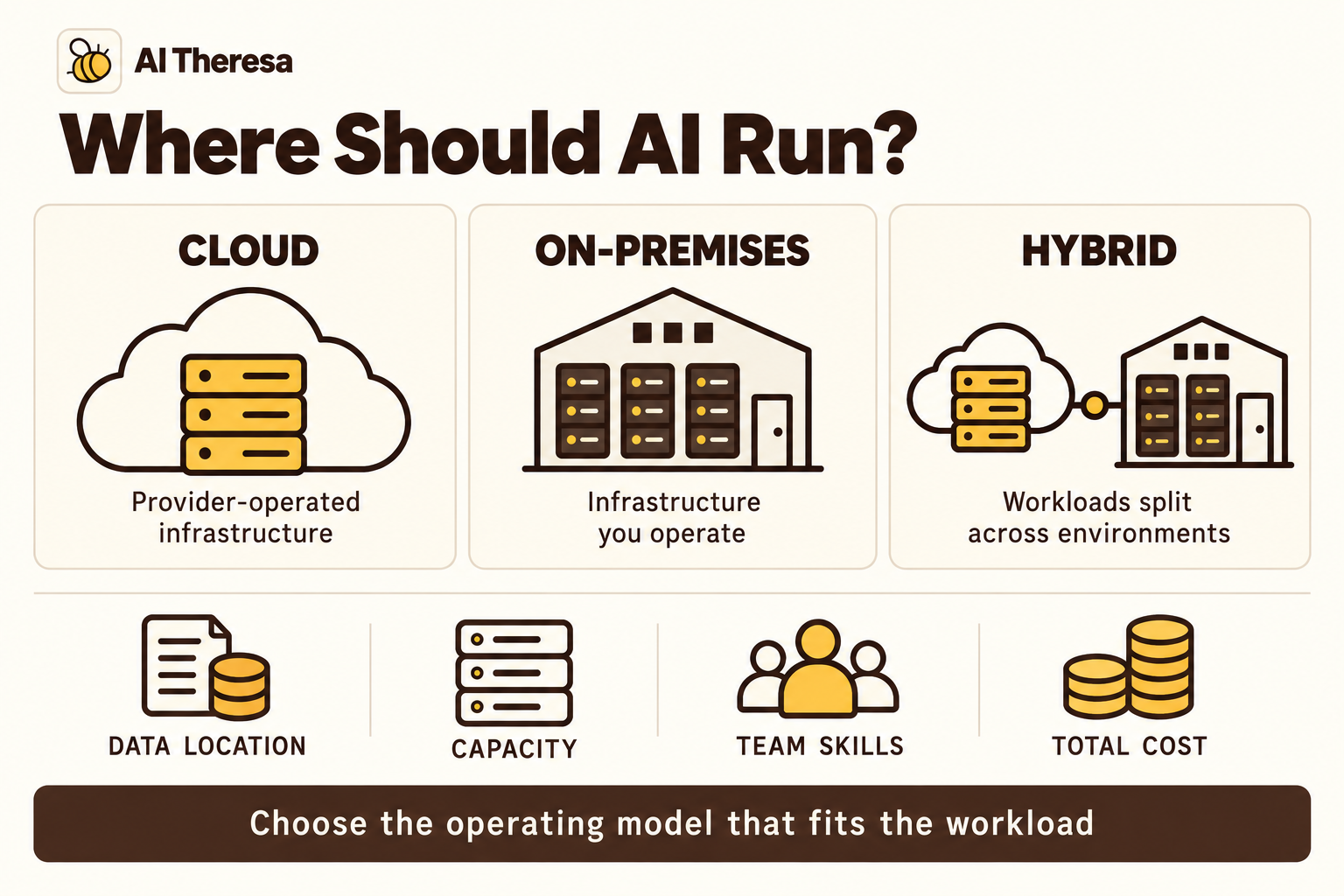
Hosting location is a separate choice from workload. All three can run in the cloud or on premises, changing how capacity is supplied and who maintains it.
| Factor | Cloud | On-premises |
|---|---|---|
| Adding capacity | Rent available resources, subject to service quotas and regional availability. | Install or reallocate equipment; expansion may require procurement. |
| Spending | Usage charges and optional capacity commitments. | Equipment purchases plus facilities, software, and maintenance. |
| Configuration | Choose from the provider's supported services and hardware. | Control equipment and local configuration directly. |
| Operations | Managed services can take over selected maintenance tasks. | Your organization arranges operation and support. |
| Data access | Connect cloud services to required records and applications. | Process near local systems; external model calls still send data outside. |
Cloud can suit uncertain demand or a team that needs capacity quickly. On-premises infrastructure can suit sustained use or local processing requirements. For a GPU installation, electrical power and cooling may limit available capacity; facility upgrades and replacement equipment add to the purchase cost.
Edge deployment puts processing beside the equipment or people generating data. A factory might run an image-inspection model locally to respond without waiting for a cloud connection. It could develop updated models in the cloud and send the approved versions to the factory. This hybrid arrangement separates model development from everyday inference, with a plan for what continues working if the connection fails.
Get Started with Theresa for FREEAI Infrastructure Challenges
Capacity does not always match demand
One application request can trigger several model calls. Long requests can occupy resources while shorter ones wait, and daily averages conceal busy periods.
Separate applications with response-time commitments from jobs that can wait. Reserve capacity or schedule competing work around busy periods. Otherwise, a shared environment can have enough capacity in total while leaving too little available for the service customers are using.
Data and software change independently
A business system can change what a field means without changing its name. If a sales field switches from gross to net revenue, a forecast built around its old meaning may become misleading. The connection still works, so a connection check alone will miss the problem. Tests need to check the data's meaning as well as whether it arrived.
Costs spread across the system
Longer conversations, repeated queries, and automatic retries can increase spending without an increase in users. Stored documents, search indexes, and detailed logs add separate charges. On owned hardware, unused capacity still carries costs.
Group expenses by application or job so the business can see what produces the bill. Otherwise, a cheaper model can appear to save money while extra calls or review work absorb the saving.
Skills and security require ongoing attention
Building an application and maintaining GPU servers require different skills. A team that understands its warehouse may still need help integrating tools that change business records.
Private hosting leaves application risks to address. An agent can receive misleading instructions in external content regardless of where its servers run. Its tools need enforced permissions and limits on consequential actions.
Get Started with Theresa for FREEAI Infrastructure Best Practices
Profile before expanding
Measure where time goes during long requests and busy periods. Separate database access and document preparation from model calls so you can identify which part needs attention.
For self-hosted inference, batching requests can improve throughput, but waiting to assemble a batch may increase response time. The useful setting depends on whether people need an immediate answer or can wait for a scheduled job.
Make deployments reproducible
Keep the application code, model selection, instructions, and data-preparation settings together in a versioned release. For a model you host, include the model files or a reliable reference to them. Test changes against representative tasks before rolling them out.
Build security into ordinary workflows
Limit each service's access, protect credentials, and encrypt stored data and network traffic. Apply retention rules to prompts, logs, and source documents.
Make the approved access route usable. If an agent lacks a necessary connection, fix the integration instead of asking employees to paste sensitive records into another tool.
Test recovery and set operating limits
Test recovery at the point where work can be lost. For an application that changes business records, check whether an action succeeded before repeating it. For a model service, test replacing a failed worker and loading the correct model version. Training jobs need checkpoints that can actually be restored.
Set limits on retries, execution time, and spending. Assign responsibility for failures and remove resources after projects are retired.
Get Started with Theresa for FREEHow to Choose an AI Infrastructure Solution
Record the workload's expected traffic, data sources, and acceptable waiting time before choosing its services.
| Requirement | Starting configuration | When this approach makes sense |
|---|---|---|
| Run an application using a hosted model | Application hosting, model API, data connections, and task storage | An available model meets your needs, and you want the provider to run it rather than maintaining model servers yourself. |
| Serve a chosen model yourself | Serving software and suitable compute and memory, alongside the application | Direct control over sensitive data, model requirements, or deployment conditions |
| Train or fine-tune a model | Data preparation, training capacity, evaluation, and saved progress | A prediction task or specialist capability that requires a new or adapted model |
Self-hosting is worth considering when data privacy is a primary concern. Running a model within an environment you control can keep prompts and business records out of a model provider's API, reducing reliance on its data-handling terms. Your team takes responsibility for securing that environment, including logs and external connections. Rented cloud hardware still involves an infrastructure provider.
For a training pilot, use the intended model and representative data. Record peak memory, run time, and time waiting for data. Interrupt a run and check that its saved checkpoint restores usable progress. Estimate costs across repeated experiments, then budget separately for serving the result. For fine-tuning, compare the adapted model with the original on the target task.
Include replacement costs: exporting data and evaluation records, rebuilding provider-specific connections, and retesting the application. Owning the source data does not make every component portable. See Best Cloud Infrastructure for AI Agents for agent-specific hosting choices.
Compare the full cost over the same period: model usage, compute, storage, transfers, software, and people. Include facilities for owned equipment and avoid counting costs already covered by a managed service twice. In an illustrative month with 720 available hours and 180 productive hours, fixed costs per productive hour are four times the figure calculated across all available hours.
A sizing example for an application using a model API
Suppose a document-review application receives 12 requests per minute and calls a provider-hosted model three times per request. At five seconds per call, that produces 36 calls per minute and an average of three calls in progress: 36 × 5 ÷ 60. Bursts can require more capacity.
If each call sends 2,000 input tokens and returns 500 output tokens, usage reaches 72,000 input and 18,000 output tokens per minute before retries. Tokens are the units of text processed by the model. A quota of 60 requests per minute would cover these 36 calls, but a separate limit of 50,000 input tokens per minute would be too low. These are illustrative limits.
Providers count usage differently. OpenAI applies request and token limits; token estimates and requested output limits can affect enforcement. Anthropic separates requests, input tokens, and output tokens per minute. The Gemini API checks requests per minute, input tokens per minute, and requests per day. Check the selected model's limits in your account, allowing room for bursts, retries, and other applications sharing the quota.
The application still needs hosting and document storage. Increasing its server capacity will not raise the model provider's quota. Self-hosted models require separate hardware and serving tests.
When connecting existing systems is the main obstacle, FDE as a Service can provide engineering help alongside the infrastructure purchase.
Get Started with Theresa for FREEAI Infrastructure Solutions and Platforms
Compare compute, model versioning, deployment, and monitoring across the platforms. Managed services can operate the underlying machines; a software subscription may leave that work with your team.
| Platform | Relevant workloads | What you are buying | Work your team retains |
|---|---|---|---|
| Amazon SageMaker AI | Training and model serving | Managed development, training, and model deployment | Data preparation, evaluation, and application integration |
| Microsoft Foundry / Azure Machine Learning | Foundry for generative AI and tuning; Azure ML for custom training and serving | Managed model services and development tools | Training code, evaluation, and application integration |
| Google Gemini Enterprise Agent Platform | Custom training, model serving, and AI applications | Training jobs, model registry, prediction services, and agent hosting | Data preparation, model code, and capacity settings |
| NVIDIA AI Enterprise | Model training, adaptation, and serving | Supported frameworks and software for compatible GPU infrastructure | Hardware capacity and environment operation |
| Databricks | Data preparation, training, and model serving | A platform connecting data work with the model lifecycle | Data definitions, model choices, and business integration |
These offerings can work together: a team could prepare data in Databricks and serve a model using NVIDIA software.
1. Amazon SageMaker AI
Amazon SageMaker AI manages infrastructure for building, training, and deploying models, including custom frameworks and training across multiple machines.
A forecasting team can run its training code and deploy the resulting model without maintaining the underlying servers. It still prepares records, evaluates predictions, and connects them to planning software. Budget separately for development runs and ongoing prediction capacity.
2. Microsoft Foundry
Microsoft Foundry provides model access, evaluation, and application tools. Its model catalog includes deployment choices and fine-tuning for supported models.
For custom machine-learning or deep-learning training, Microsoft's platform-selection guidance points to Azure Machine Learning. It supports training, model lifecycle management, and serving predictions for individual requests as they arrive or processing groups of records in scheduled jobs. A team developing its own forecasting model should evaluate that service; one adapting a supported generative model can evaluate Foundry fine-tuning. Agent hosting is another application service, not a prerequisite for either project.
3. Google Gemini Enterprise Agent Platform
Google's Gemini Enterprise Agent Platform, an evolution of Vertex AI, includes custom model development and serving alongside agent services.
Custom training jobs run your code on configured compute. Training pipelines can register the resulting model for deployment to a prediction service. This supports a team that wants to train and host its own model using managed infrastructure. Model quality, machine selection, and serving capacity remain engineering decisions. The platform's agent runtime serves a separate application-hosting need.
4. NVIDIA AI Enterprise
NVIDIA AI Enterprise supplies supported training and development frameworks, NIM microservices for serving models, and GPU infrastructure-management tools. Support includes security patches and maintenance updates.
It suits teams arranging their own compatible GPU environment, on owned or rented hardware. The subscription supplies software and support; hardware capacity and operations must be arranged separately. Include compatibility, licensing, and maintenance in the cost comparison with managed training and serving.
5. Databricks
Databricks connects data preparation with model development, deployment, and monitoring. MLflow records experiments; Unity Catalog manages access and governance for data and ML assets.
A team repeatedly training models from business data can keep preparation, experiments, and deployment in one platform. That may reduce integrations between those stages. It still defines the inputs, evaluates model quality, and pays for platform consumption and any separately billed infrastructure.
Get Started with Theresa for FREEConclusion
Choose AI infrastructure solutions for the work you need to operate. Teams developing models need a dependable path from datasets and training runs to evaluated, deployed versions. Teams hosting models need sufficient serving capacity and control over data. Applications then connect those models to useful business work.
Test the intended workload before committing to capacity, and include the people who will maintain it in the cost.